
Business Central ERP Implementation: Choosing a Microsoft Dynamics 365 Partner in India
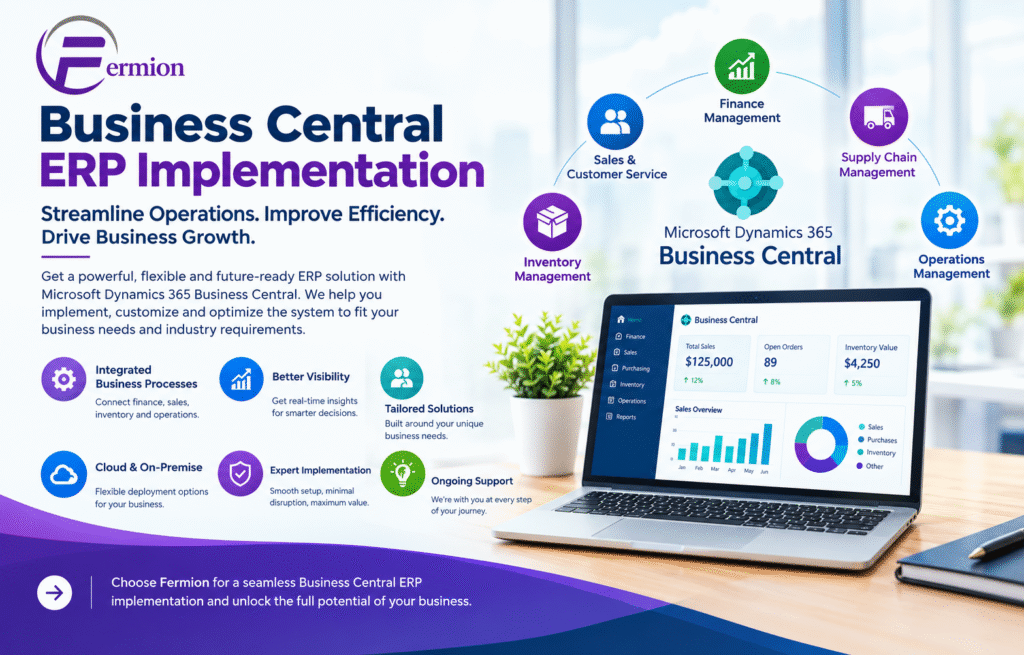
In today’s business world companies need more than just basic accounting software to handle their work properly. Companies need an ERP solution that can link finance, sales, buying, stock, supply chain, projects and customer relationships in one single system. Microsoft Dynamics 365 Business Central is a cloud-based ERP system made to help small and medium-sized companies make their work better and make smarter business choices.
Making an ERP system work well needs good planning setting up the system moving data training people and help after it is done. This is why choosing the Business Central ERP Implementation partner is very important. A strong Microsoft Dynamics 365 Partner India can help companies put in Business Central according to their needs and make the move from old systems easier.
What Is Business Central ERP Implementation?
Business Central ERP Implementation is the process of putting Microsoft Dynamics 365 Business Central into a company and changing it to fit the company’s way of working.
Implementation usually has main steps, including:
• Analyzing business processes
• Checking what the ERP system needs
• Configuring the system
• Moving data
• Connecting with programs
• Changing the system and adding new parts
• Testing with users
• Training employees
• Planning for going live
• Support after the system is in use
A good partner helps companies avoid common ERP problems and makes sure the new system meets the companys goals.
Why Choose Microsoft Dynamics 365 Business Central?
Microsoft Dynamics 365 Business Central gives a system for managing different parts of a business. Of using separate tools for money, stock, selling, buying and working companies can handle all these parts in one ERP system.
Main advantages are:
1. Financial Management
Business Central gives tools for managing ledgers paying bills getting money, budgeting, cash flow, fixed assets and financial reports. Companies can see their money situation better. Make better choices.
2. Inventory Management
Companies can check stock levels track items and improve buying choices. Clear stock view can help lower extra stock and improve order delivery.
3. Sales and Customer Management
Business Central lets companies handle quotes orders, bills, customer details and other steps from one place. This makes it easier to see what is happening in the sales process.
4. Supply Chain Management
Businesses can handle buying, suppliers, stock, storage and supply chain steps better. This helps a lot for companies dealing with buying and distribution.
5. Business Intelligence and Reporting
Business Central works with Microsoft tools to give reports and analysis. Management can get business data. Use it to find trends, track performance and support plans.
Finding the Right Microsoft Dynamics 365 Partner India
Picking the right Microsoft Dynamics 365 Partner India is an important choice during an ERP project. The partner should know both Microsoft Dynamics 365 Business Central and the companys needs.
A good partner should have experience in:
• Implementing Business
• ERP advice
• Moving data
• Connecting systems
• Changing the system and adding parts
• Training staff
• Technical help
• Improving business processes
The partner should also take time to learn the companys current steps instead of just putting in a standard ERP setup.
Business Central India: Helping Growing Businesses
Business Central India is more and more important for companies that want a system that can grow with them and help with work. Companies in manufacturing, selling, shops, professional services, trading and other areas can use Business Central to bring everything
For companies ERP implementation may also have needs related to local money steps, taxes, reports, rules and work steps. Working with a partner who knows this can help set up the system
Business Central ERP Implementation Process
A good implementation follows a way.
Step 1: Checking Needs
The team looks at the companys steps, problems, departments and goals. This helps see which Business Central parts are needed.
Step 2: Planning the Solution
The partner makes a plan that includes setting up the system, connections, reports, steps, security and any needed changes.
Step 3: Setting Up and Changing
Business Central is set up to fit the companys needs. If the basic parts are not enough changes or approved additions may be used.
Step 4: Moving Data
data like customers, suppliers, items, starting numbers and old details may need to be moved from old systems to Business Central.
Step 5: Testing
The system is tested with business situations. Testing helps find setup problems before people start using the version.
Step 6: Teaching People
Employees get training based on their jobs. Finance teams, sales teams, buying departments, warehouse workers and managers may have needs.
Step 7: Going Live
After testing and training the company moves to the ERP system. Good planning helps keep work from stopping.
Step 8: Help After Going
After the system is in use companies may need more help fixing problems making changes and helping users. Ongoing help helps companies get more from their ERP investment.
7. Can Business Central integrate with applications?
Yes. Business Central can connect with Microsoft tools and many other systems using connectors, APIs, extensions and other methods. Whether Business Central works well depends on the app and technical needs.
8. What are the main costs involved in Business Central Implementation?
Costs can cover software licenses, consulting, setting up moving data linking systems, customizing, training and ongoing help. The total price depends on how complex the project’s what services are needed.
9. Is employee training necessary after implementation?
Yes. Training for staff helps them learn the system follow the steps, cut mistakes and use the new Business Central more smoothly.
10. Can Business Central grow with my business?
Business Central has features that can keep up with changing needs. Companies can look at adding functions linking more systems and using extensions as their work grows. Microsoft Dynamics 365 Business Central gives companies a way to handle finance, sales, buying, stock and everyday work..
Conclusion
To get the best results, careful planning, correct data transfer, proper set‑up and good training are needed. A solid Business Central ERP implementation can boost work speed give financial view and help companies make wiser choices. Partnering with a Business Central consultant and a capable implementation partner can make the rollout easier and cut needless risks. Companies that want to upgrade their work should start by spotting their problems setting clear goals and seeing how Business Central can meet those needs. With a plan and steady help the platform can become a strong base, for lasting growth.