
Microsoft Dynamics 365 Business Central: Complete ERP Solution for Growing Businesses
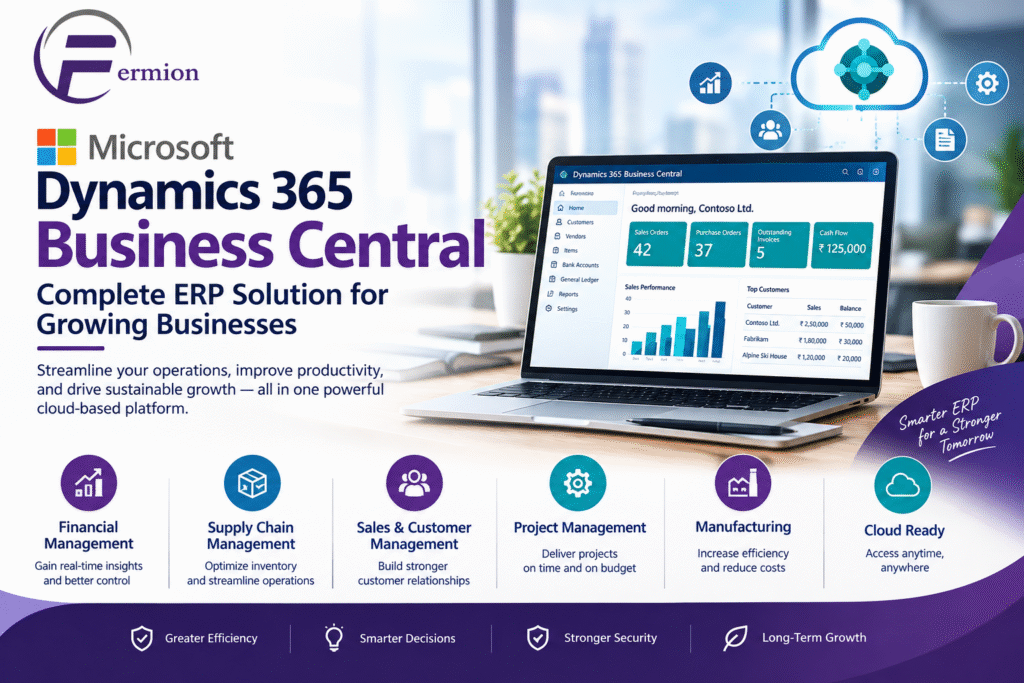
In today’s business environment companies need more than simple accounting software to run day‑to‑day tasks. They need a system that links finance, sales, buying, inventory, projects and customer relations and gives instant insight into how the business is doing. Microsoft Dynamics 365 Business Central is a cloud ERP solution that helps small and mid‑size companies smooth their work boost productivity and make smart choices.
Whether a company is searching for a Microsoft Business Central Partner planning a Microsoft Business Central Implementation or checking Business Central ERP for the time Microsoft Dynamics 365 Business Central offers a flexible base for running business processes from one solution.
What Is Microsoft Dynamics 365 Business Central?
Microsoft Dynamics 365 Business Central is an enterprise resource planning solution from Microsoft that assists companies in handling their business activities. Microsoft Dynamics 365 Business Central unites management, supply chain management, sales, purchasing, inventory, project management and service operations on a single connected platform.
Than keeping separate systems for each department companies can use Microsoft Dynamics 365 Business Central to consolidate data and automate repetitive tasks. Microsoft Dynamics 365 Business Central reduces entry enhances teamwork and gives owners clearer insight into key business metrics.
Because Microsoft Dynamics 365 Business Central works with the Microsoft ecosystem companies can also use tools like Microsoft Excel, Outlook, Teams and Power BI.
Key Features of Business Central ERP
1. Financial Management
Financial management is an important part of Microsoft Dynamics 365 Business Central. Companies can manage ledgers accounts payable accounts receivable, budgets, fixed assets, cash flow and financial reports.
Automated financial processes help accounting teams cut work and keep financial records more consistent.
2. Sales Management
Microsoft Dynamics 365 Business Central helps companies handle the sales cycle from customer contact to quotations, sales orders, shipments and invoicing.
Sales teams can use Microsoft Dynamics 365 Business Central to view customer and transaction data from one place, which helps them see customer activity and open orders clearly.
3. Purchasing and Procurement
The procurement function in Microsoft Dynamics 365 Business Central helps companies manage vendors, purchase orders, receipts, invoices and buying workflows.
Companies can keep vendor data and track buying activity while improving coordination among buying, inventory and finance groups.
4. Inventory and Supply Chain Management
Inventory management is vital for companies that handle goods. Microsoft Dynamics 365 Business Central gives tools to track inventory, warehouse work, stock moves, item availability and restocking.
Clear inventory visibility helps companies stop stock shortages or too much inventory.
5. Project Management
Companies that run projects can use Microsoft Dynamics 365 Business Central to manage project tasks, resources, costs, budgets and billing.
Microsoft Dynamics 365 Business Central lets companies track project performance and see if projects stay on budget and, on schedule.
6. Reporting and Business Intelligence
Microsoft Dynamics 365 Business Central offers reporting and analysis tools that let leaders see how the business is doing.
Companies can link Microsoft Dynamics 365 Business data to Power BI to build dashboards and visual reports on sales, finance, inventory and operations.
Why Choose Microsoft Business Central?
One big advantage of Microsoft Dynamics 365 Business Central is that it brings departments together on one platform. When finance, sales, buying and inventory data live in systems companies cut information gaps and boost teamwork.
Another benefit is scalability. As a company grows its ERP needs often get more complex. Microsoft Dynamics 365 Business Central can handle operations without making companies run many separate systems.
Microsoft Dynamics 365 Business Central also works in the cloud letting authorized users view business data from places and devices.
Role of a Microsoft Business Central Partner
Picking the right Microsoft Dynamics 365 Business Central Partner can be a part of an ERP project. A partner can help a company grasp its needs set up Microsoft Dynamics 365 Business Central move data, link apps, train staff and keep support going.
A seasoned partner usually starts by learning business processes. Than just installing software the team can spot challenges and decide how Microsoft Dynamics 365 Business Central can meet the company’s needs.
A Microsoft Dynamics 365 Business Central Partner can also help with custom changes and integrations when standard features do not fully satisfy a company’s needs.
Microsoft Business Central Implementation
Microsoft Dynamics 365 Business Central Implementation has stages. The exact path depends on a company’s size and complexity. A common implementation may have the following steps:
Requirement Analysis
The implementation team first studies the organization’s existing processes, such as finance, sales, purchasing, inventory and reporting requirements.
Solution Design
After gathering requirements the team develops a solution design that defines how Business Central will be configured and how different departments will use Business Central.
Configuration
Business Central is then configured according to the organization’s requirements. This may include setting up structures, users, permissions, workflows, inventory settings and other business processes.
Data Migration
Existing business data may need to be transferred into Business Central. Data migration should be carefully planned to maintain accuracy and avoid duplication.
Integration
Businesses may need to connect Business Central with applications such as e-commerce platforms, payment systems, CRM solutions, payroll systems or reporting tools.
Testing
Before going users should test important business processes. Testing helps identify configuration issues and gives employees an opportunity to become familiar with Business Central.
Training and Go-Live
Employees receive training on the processes to their roles. Once testing and preparation are complete the organization can move to the Business Central environment.
Ongoing Support
ERP implementation does not necessarily end at go-live. Businesses may require training, troubleshooting, optimization, updates and support as their requirements change.
Benefits of Business Central ERP for Businesses
Implementing Business Central ERP can provide operational benefits:
Centralized business information
Improved financial visibility
Better inventory management
Automated repetitive processes
Improved sales and purchasing workflows
Real-time access to business information
Better reporting and analytics
Integration with Microsoft applications
Cloud-based accessibility
Support for growing business operations
The actual benefits depend on the organization’s processes, implementation approach, user adoption, data quality and system configuration.
Who Can Use Microsoft Dynamics 365 Business Central?
Microsoft Dynamics 365 Business Central is designed for small and medium-sized businesses that need an integrated ERP system.
It can be relevant for organizations in industries such as manufacturing, distribution, professional services, retail, wholesale, construction and other sectors with requirements around operational management.
Businesses moving away from spreadsheets or disconnected applications may consider Business Central when they need a centralized approach to managing their operations.
How to Choose a Microsoft Business Central Partner
When selecting a Microsoft Business Central Partner businesses should evaluate factors such as implementation experience, industry knowledge, technical capabilities, integration expertise, training services, support processes and understanding of the organization’s requirements.
It is also useful to establish the project’s scope implementation timeline, data migration requirements, customization needs and support expectations before beginning the project.
A defined implementation plan can help stakeholders understand responsibilities and reduce unexpected issues during deployment.
FAQs About Microsoft Dynamics 365 Business Central
1. What is Microsoft Dynamics 365 Business Central?
Microsoft Dynamics 365 Business Central is an ERP solution that helps businesses manage finance, sales, purchasing, inventory, projects and other core business operations through a platform.
2. What is Business Central ERP used for?
Business Central ERP is used to manage and connect business processes such as accounting, purchasing, sales, inventory, supply chain operations, project management and reporting.
3. What does a Microsoft Business Central Partner do?
A Microsoft Business Central Partner can help with business requirements, solution design, configuration, data migration, integrations, testing, employee training, implementation and ongoing support.
4. How long does Microsoft Business Central Implementation take?
Implementation timelines vary depending on company size, business complexity, number of users data migration requirements, integrations, customizations and project scope. A simple implementation may take time than a complex multi‑department deployment.
5. Can Business Central integrate with Microsoft Excel?
Yes. Business Central works with Microsoft technologies. Provides capabilities that allow users to work with business data through Excel and other Microsoft services.
6. Is Microsoft Dynamics 365 Business Central cloud-based?
Yes. Business Central is available as a cloud‑based ERP solution giving authorized users access to business information through supported devices and environments.
7. Can Business Central be customized?
Business Central supports configuration and extensions to adapt the solution to business requirements. The appropriate approach depends on the organization’s needs. The capabilities available in the specific environment.
8. Is Business Central suitable, for medium-sized businesses?
Yes. Business Central is designed to help small and medium-sized organizations manage operational processes through an integrated ERP platform.
Conclusion
Microsoft Dynamics 365 Business Central provides businesses with a platform for managing finance, sales, purchasing, inventory, projects and other important operations. By connecting business processes and providing access, to information Business Central ERP can help organizations improve operational visibility and establish more structured workflows.
📞 Reach Out to Us
📱 +91 9711880864
📧 info@fermion.co.in
🌐 https://fermion.co.in/